
Payroll release notes version 26.52.0.0
These release notes include supplemental information about payroll release version 26.52.0.0.
Payroll G/L summary
Payroll can now post detailed General Ledger (G/L) activity to a clearing account while preserving the original account in new primary account fields. A summarize process then rolls entries up to the real G/L accounts.
You can set up this feature on the Payroll G/L Summary Setup page.
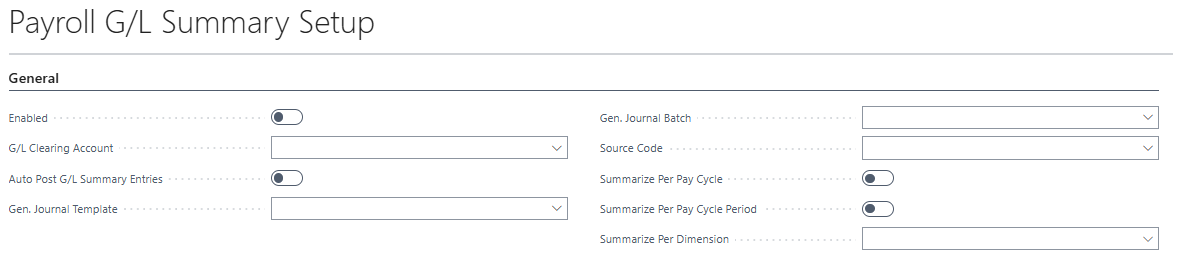
To open the Payroll G/L Summary Setup page, perform the following steps:
Select Search (Alt+Q)
 , enter payroll setup, and then select the related link.
The Payroll Setup page opens.
On the action bar, select Related > G/L Summary Setup.
The Payroll G/L Summary Setup page opens.
Bank account auto-match reconcile
This release introduces a bank account auto-match reconcile feature.
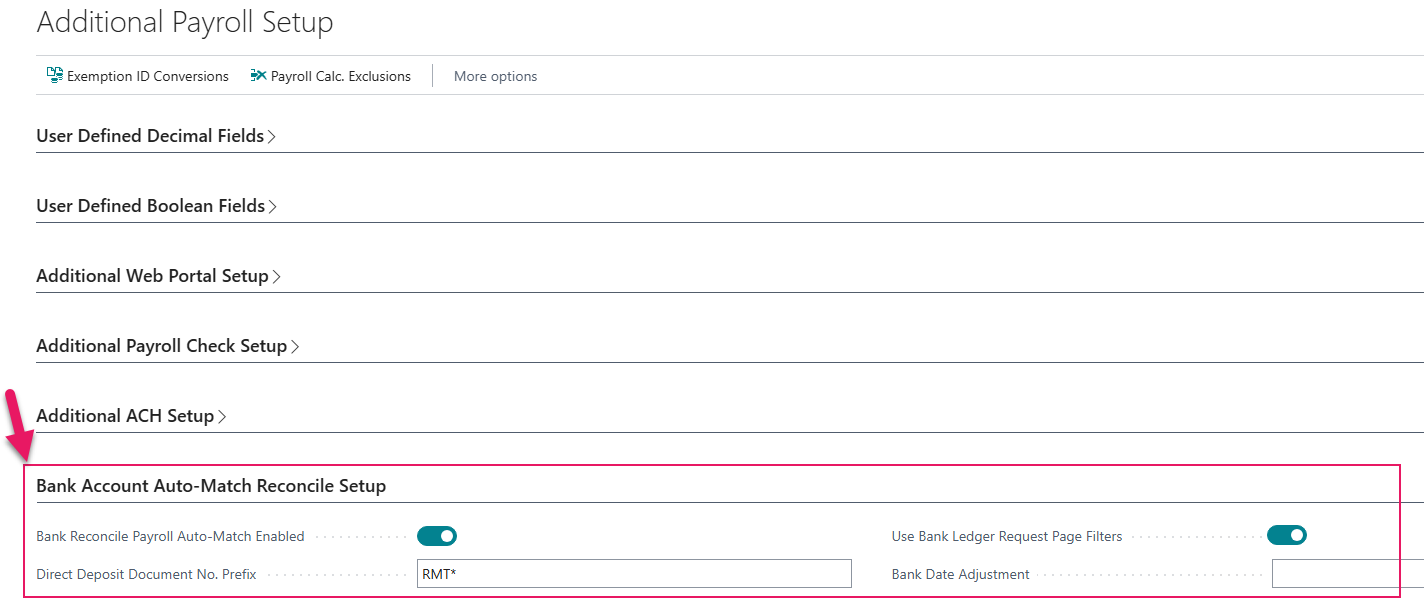
You set up this feature on the Bank Account Auto-Match Reconcile Setup FastTab of the Additional Payroll Setup page.
Tip
Tip:
You can access the Additional Payroll Setup page from the Payroll Setup page, which is available from Tell Me.
When this feature is enabled, the bank rec payroll auto-match report is visible on the Payroll FastTab of the General Journal page.
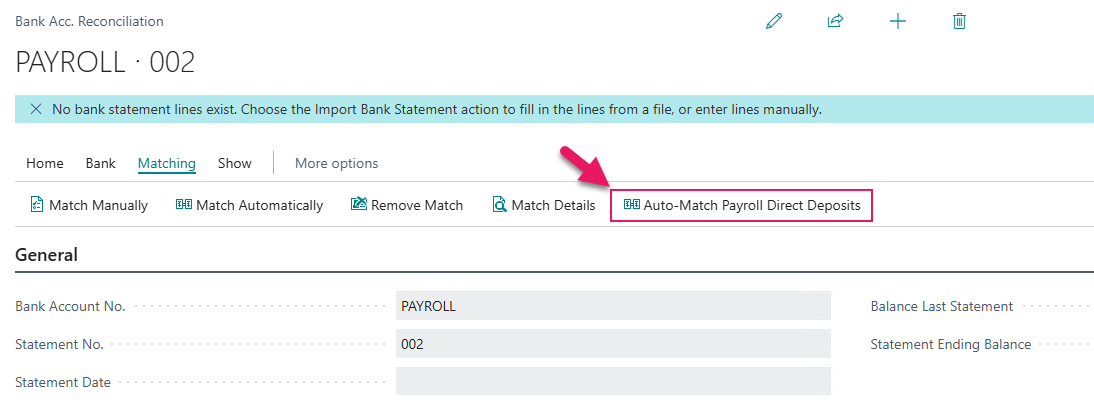
After you enter a lump sum direct deposit amount on the bank account side of a reconcile, when you select the Auto-Match Payroll Direct Deposits action, Sparkrock Impact auto-matches all the payroll direct deposits on the bank ledger side.
Manual hours details API
This release introduces a REST/OData API for importing and registering manual hours from external systems.
| API Page | Entity | Description |
|---|---|---|
| API Manual Hours Batches | manualHoursBatches | Lists batches from user setup and existing detail |
| API Manual Hours Details | manualHoursDetails | CRUD on manual hours detail lines |
Bound action: RegisterHours on a batch — registers all lines in the batch (same as UI Register action).
Supported fields include: batch name, employee, usage/actual work dates, earnings code, pay cycle, hours, amounts, job, payroll dimensions 1–8, position, workers comp, G/L account, custom dimensions, and more.
Canada T4 — Non-eligible retiring allowances (Box 13-67)
The official payroll report setup now includes T4 boxes 13-67 — Non-eligible retiring allowances report layout group and reporting detail, aligned with CRA reporting.
Canada Scotia(80) EFT — second detail line
Starting with this release, when CA EFT Export Type is Scotia(80), payroll can generate a second Scotia(80) detail line per payment.
This feature adds a Generate 2nd Scotia(80) Line field on the Payroll Setup page. The feature is automatically enabled when Scotia(80) export type is selected.
Related information
Feedback
To send feedback about this page, select the following link: