
Payroll release notes version 26.50.0.0 - 26.50.1.0
These release notes include supplemental information about payroll release version 26.50.0.0 - 26.50.1.0.
Payroll Header Posting Grp. Override Enabled
On the Payroll Setup page, a new Payroll Header Posting Grp. Override Enabled field is available.
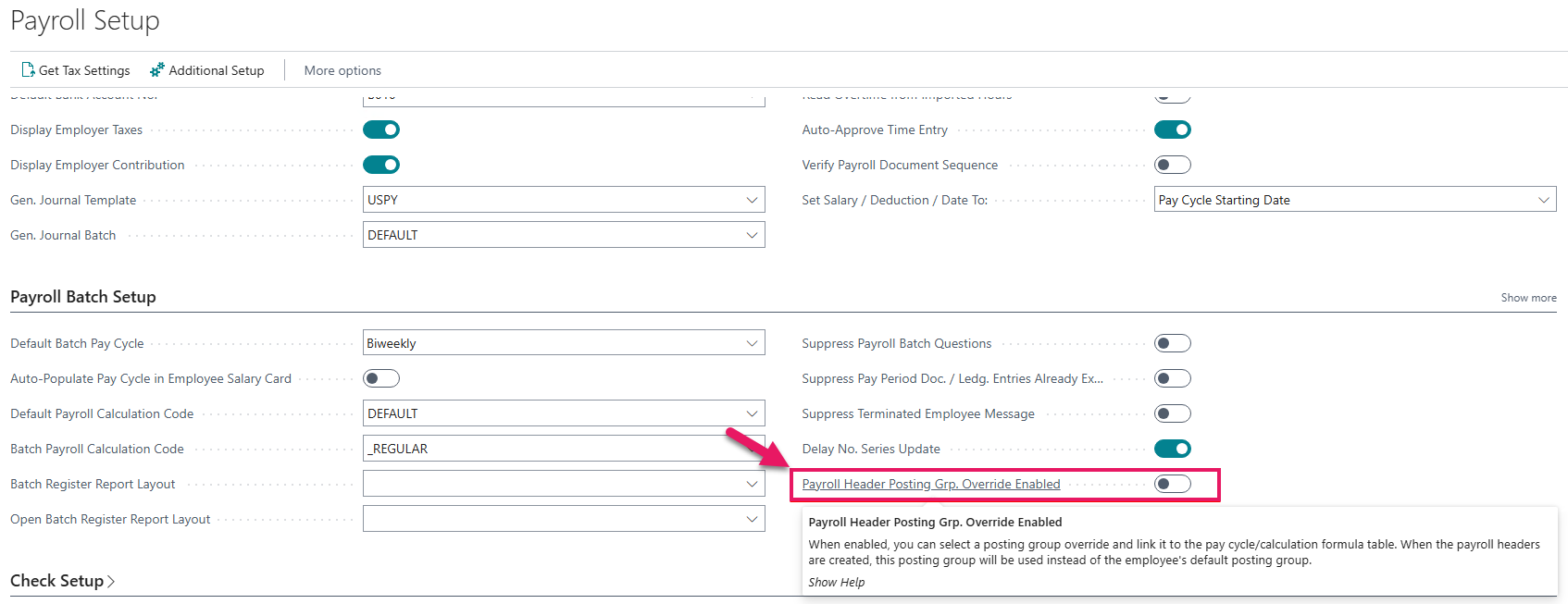
When the Payroll Header Posting Grp. Override Enabled toggle is turned on, you can select a posting group override and link the posting group to the pay cycle or calculation formula table. When the payroll headers are created, Sparkrock Impact uses this posting group instead of the employee's default posting group.
Payroll code exclusions enhancement
The Payroll Code Exclusions page now includes an Ending Date field.
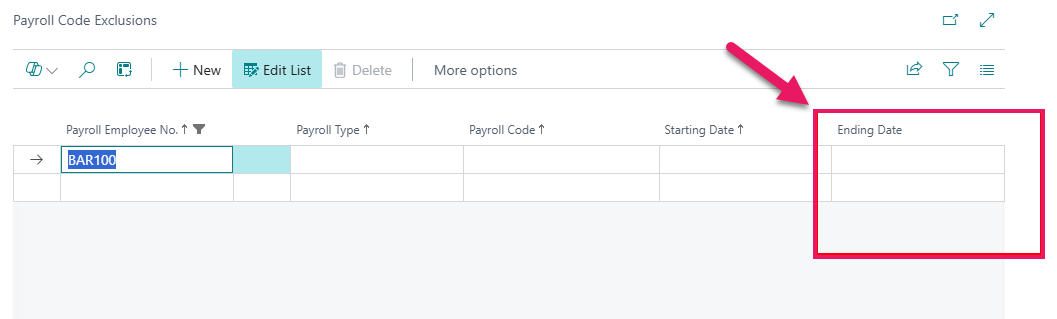
You can now enter an Ending Date to stop an exclusion without deleting the line.
Additional payroll setup enhancements
The following new fields are available on the Additional Payroll Setup page:
- Skip Batch Creation Payroll Emp. Table Position Filters
- Apply Batch Filters to Hours Detail/Piece Rate Table
- Skip Remove Payroll Line Net Zero Test
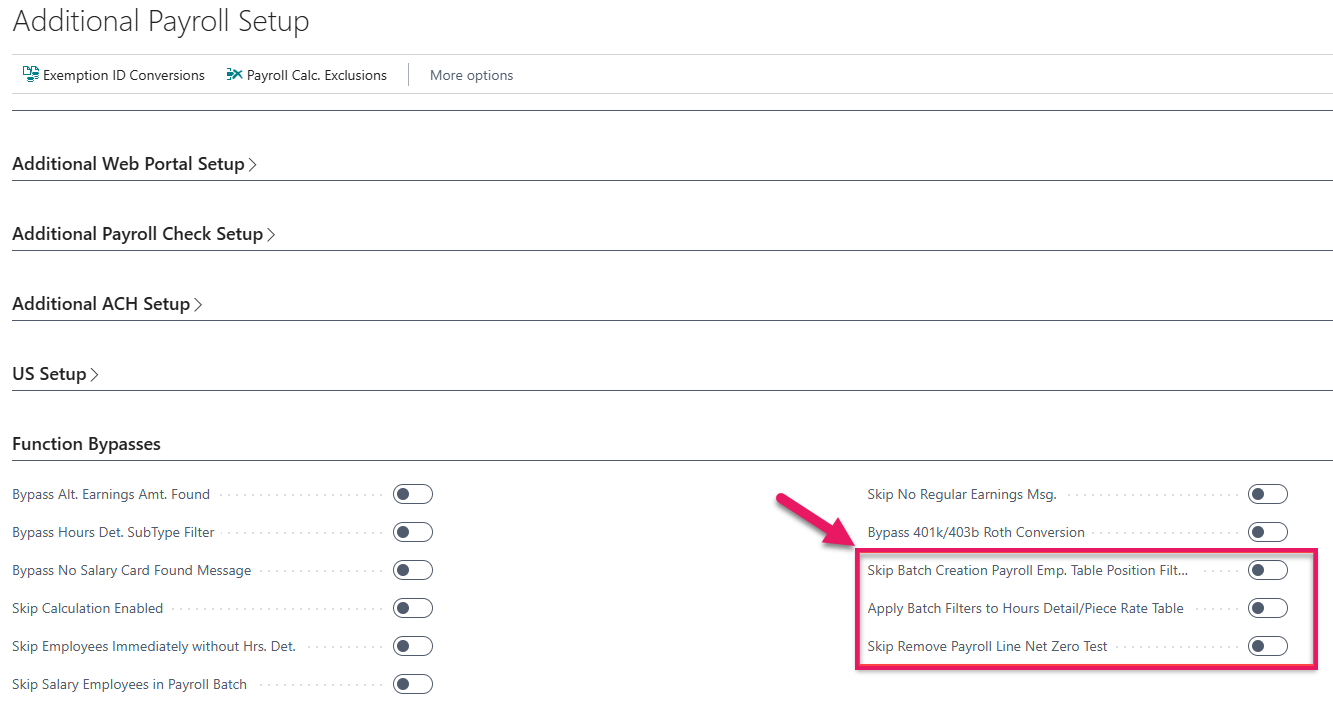
Skip batch creation payroll employee table positions filters
When Skip Batch Creation Payroll Emp. Table Positions Filters is turned on, the position or union filters in the Batch Options page apply to hours detail and piece rate if the Apply Batch Filters to Hours Detail/Piece Rate Table toggle is turned on, but Sparkrock Impact does not apply the filters to the employee table when running the batch. With this configuration, employees can have a default of blank, or any other value, and the hours detail and piece rate are filtered by the code that is entered on the Batch Options page.
Apply batch filters to hours detail and piece rate table
When Apply Batch Filters to Hours Detail/Piece Rate Table is turned on, Sparkrock Impact applies the position and union filters entered on the Batch Options page to the hours detail and piece rate table records.
Skip remove payroll line net zero test
When Skip Remove Payroll Line Net Zero Test is turned on, after the payroll process removes document lines, typically used for benefit continuance, the process does not check to see if the document nets to zero. Documents normally must net to zero after removing earnings lines, but if your situation is different, turning on this toggle skips the net zero check.
Related information
Feedback
To send feedback about this page, select the following link: