
SchoolDay version 1.0.2637.0 release notes
Published: September 15, 2026
This article provides an overview of the new and updated features, resolved problems, and general information about version 1.0.2637.0. All SchoolDay releases are cumulative.
Highlights
The following list highlights the major accomplishments in this release.
New features and changes
Version 1.0.2637.0 introduces the following new features and changes.
Forms visibility, notification, and resubmission improvements
This release adds submitted and not-submitted visibility for administrators and teachers, CSV export of that data, a reminder email action for both roles, and an administrator-initiated reset and resubmission flow, so that boards can track and follow up on incomplete form submissions without relying on manual CSV exports and ad hoc outreach.
Submitted and not-submitted status on the Submitted Forms page
On the Submitted Forms page for a form, administrators can now see both submitted and not-submitted students across their school, and teachers can now see both submitted and not-submitted students across their own assigned classes.
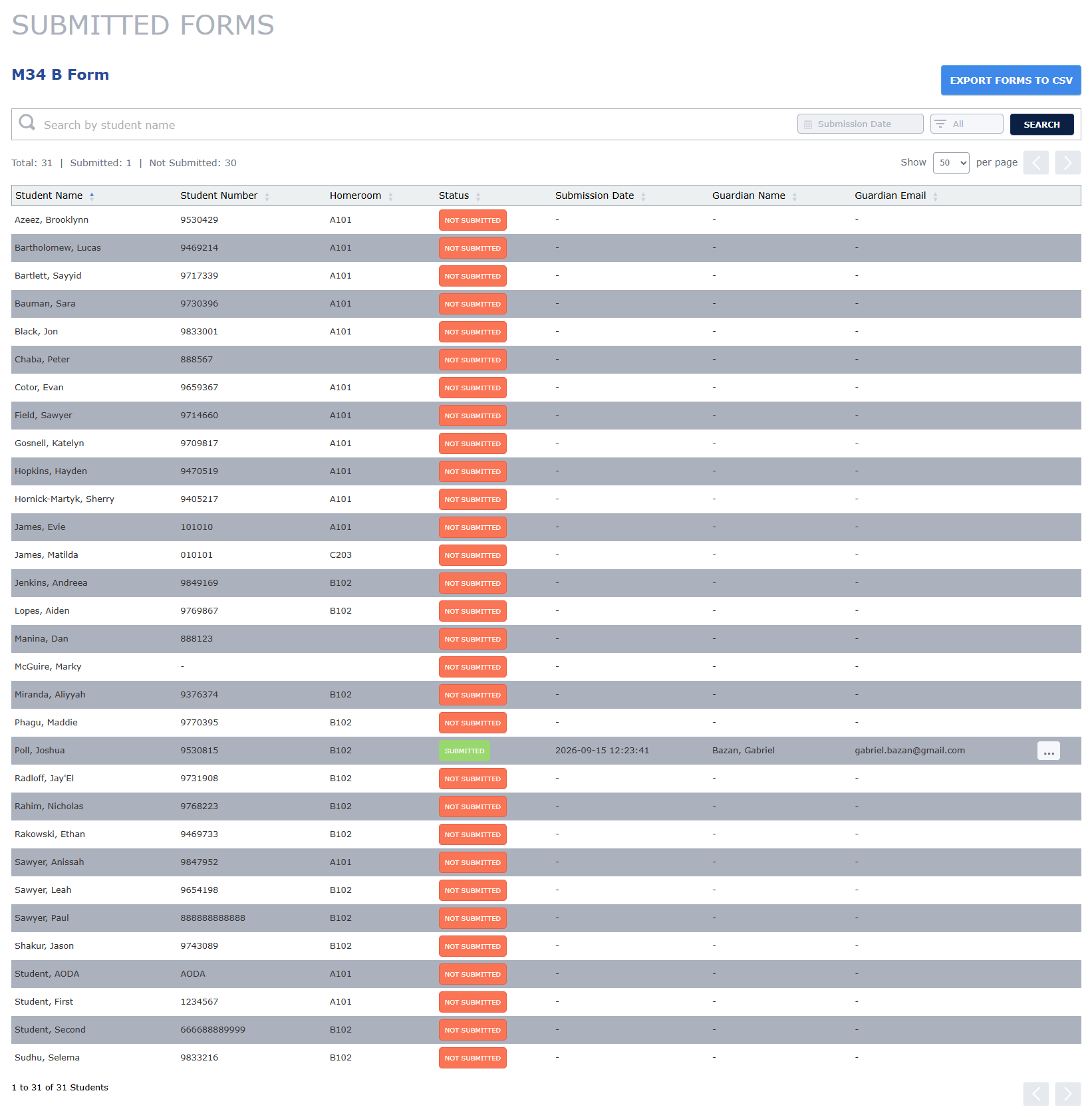
Previously, only submitted students were visible.
The page displays a summary of total, submitted, and not-submitted students, and a grid with Student Name, Student Number, Homeroom, Status, Submission Date, Guardian Name, and Guardian Email. You can filter by status and submission date, and search by student name.
A student who is enrolled at more than one school is now correctly reported as Submitted at every school where a submission exists, rather than only at the student's home school.
Export the Submitted Forms list to CSV
On the Submitted Forms page, administrators and teachers can now select Export Forms to CSV to export the current filtered list, including both submitted and not-submitted students.
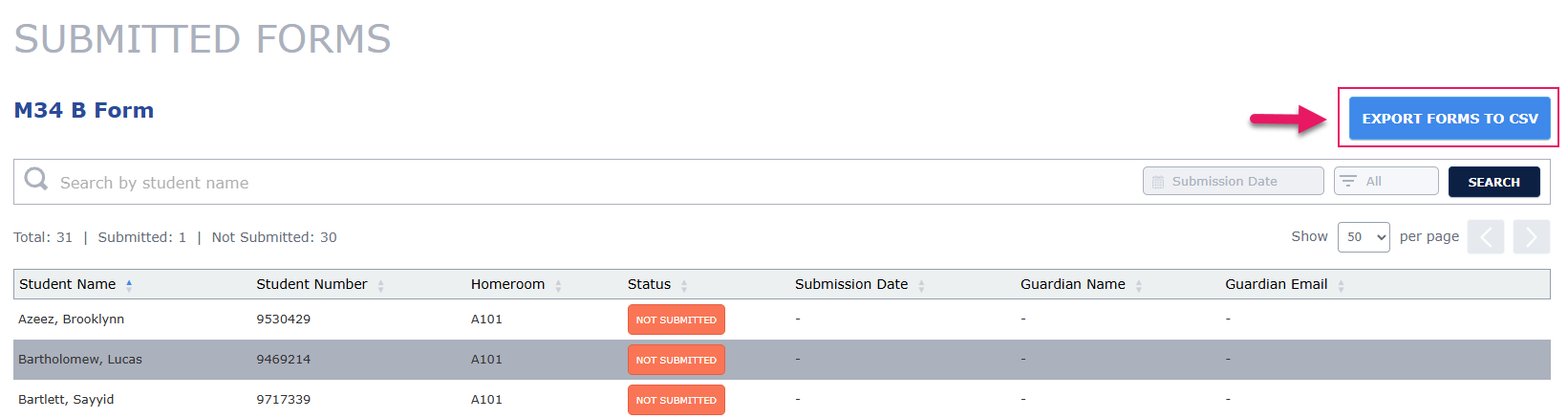
The exported file reflects the filters that are currently applied to the page.
The export runs as a background report. The Generate Report dialog box lets you choose to receive an email when the report is ready, or you can check its progress on the Generated Reports page.
Send forms reminder
On the Edit Form page, administrators and teachers can now select Send Forms Reminder from the action menu to send a reminder email to the parents of not-submitted students, scoped to the administrator's school or the teacher's own classes.
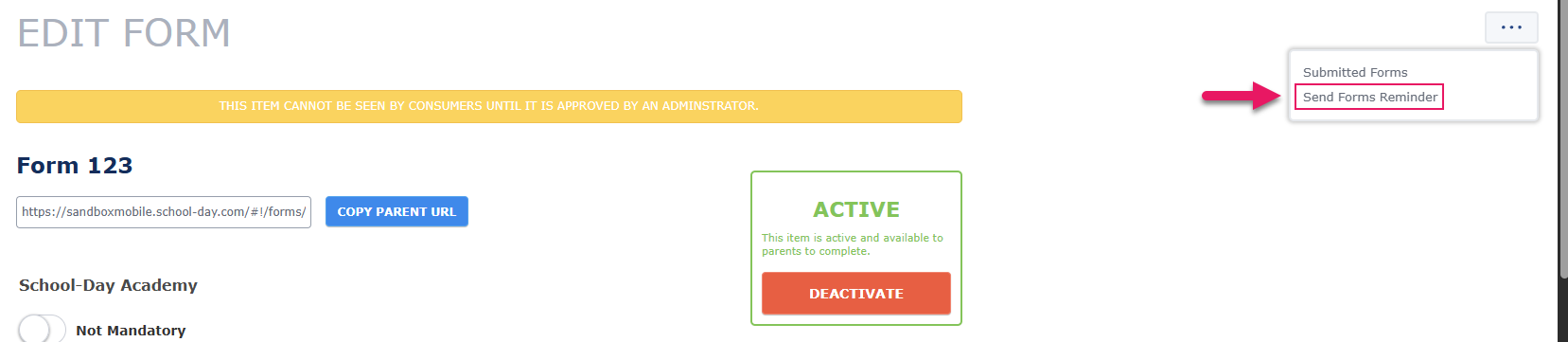
After you select the action, a confirmation dialog box asks:
Are you sure you want to send a reminder to the parents of every student who has not submitted this form?
If you select OK, SchoolDay queues the reminder emails and displays a confirmation, for example:
Email reminders sent for: Form 123 - 9 queued, 2 skipped (opted out of email)
Reset a student's form submission
On the Submitted Forms page, administrators can now select the Reset submission action for a submitted student to archive the student's current submission and return the student's status to Not Submitted.
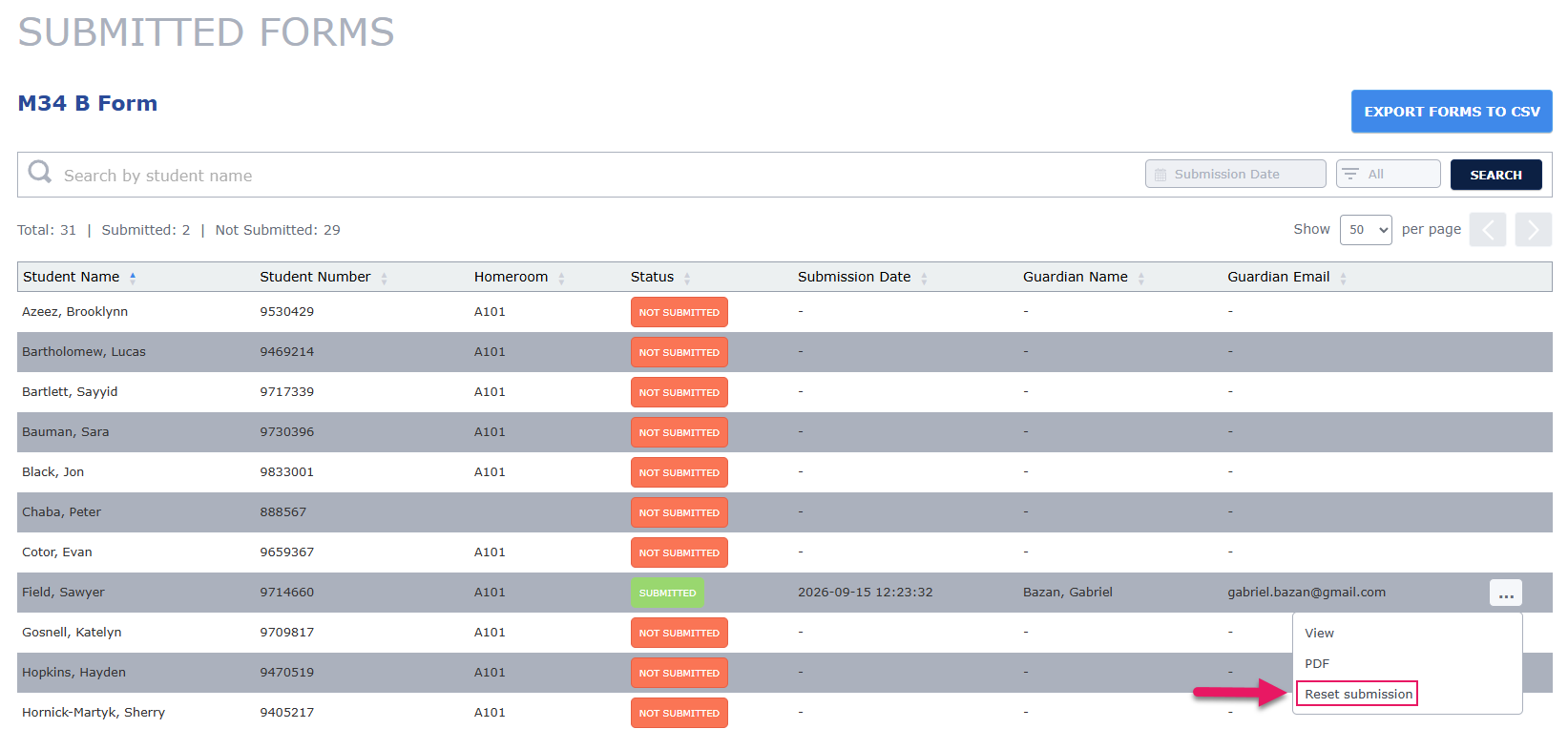
A Reason is required, and the action cannot be undone.
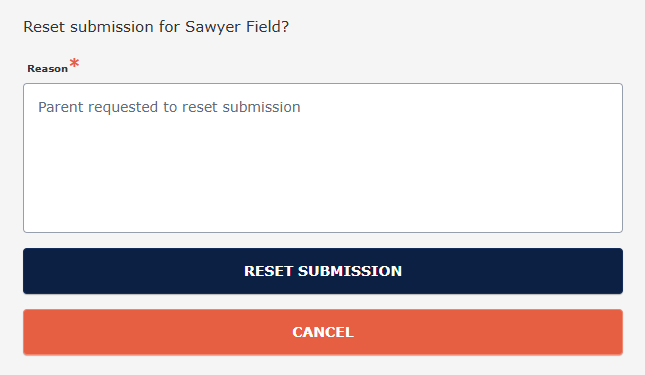
The archived submission and any attachments are retained, not deleted.
When a student's submission is reset, SchoolDay automatically sends the parent an email requesting resubmission, with a link to the same form the parent originally used.
Learn more
- View a submitted form
- Reset a form submission
- Export form submissions to a CSV file
- Send a forms reminder
SD-558, SD-559, SD-560, SD-561, SD-1454, SD-1455, SD-1456, SD-1457, SD-1525, SD-1597, SD-1606
Problems that are resolved in this update
The following problems are resolved in this release.
| Description | |
|---|---|
| When you view the list of students for an event, the list may take an excessive time to load, and your browser may become unresponsive. |
|
| On the parent mobile site, when you open the list of all schools, the list may take an excessive time to load. |
Related information
Feedback
To send feedback about this page, select the following link: