
Sparkrock Ed HRP version 5.2.2614.0 release notes
Published: April 3, 2026
This article provides an overview of the new and updated features, resolved problems, and general information about Ed HRP version 5.2.2614.0. All Ed HRP releases are cumulative.
Video
Highlights
The following list highlights the major accomplishments in this release.
New features and changes
Version 5.2.2614.0 introduces new features and enhancements to existing functionality.
Staffing, identification, and pay statement improvements
This release introduces staffing, identification, and pay statement improvements that make employee information easier to search, review, and maintain across staffing and payroll workflows.
Staffing management
Improvements to Staff Management pages include:
Performance Rating column in Appraisal Maintenance
On the Employee Spotlight page, under Development, on the Appraisal Maintenance tab, a new Performance Rating column is available so users can review the final performance rating directly in the grid.
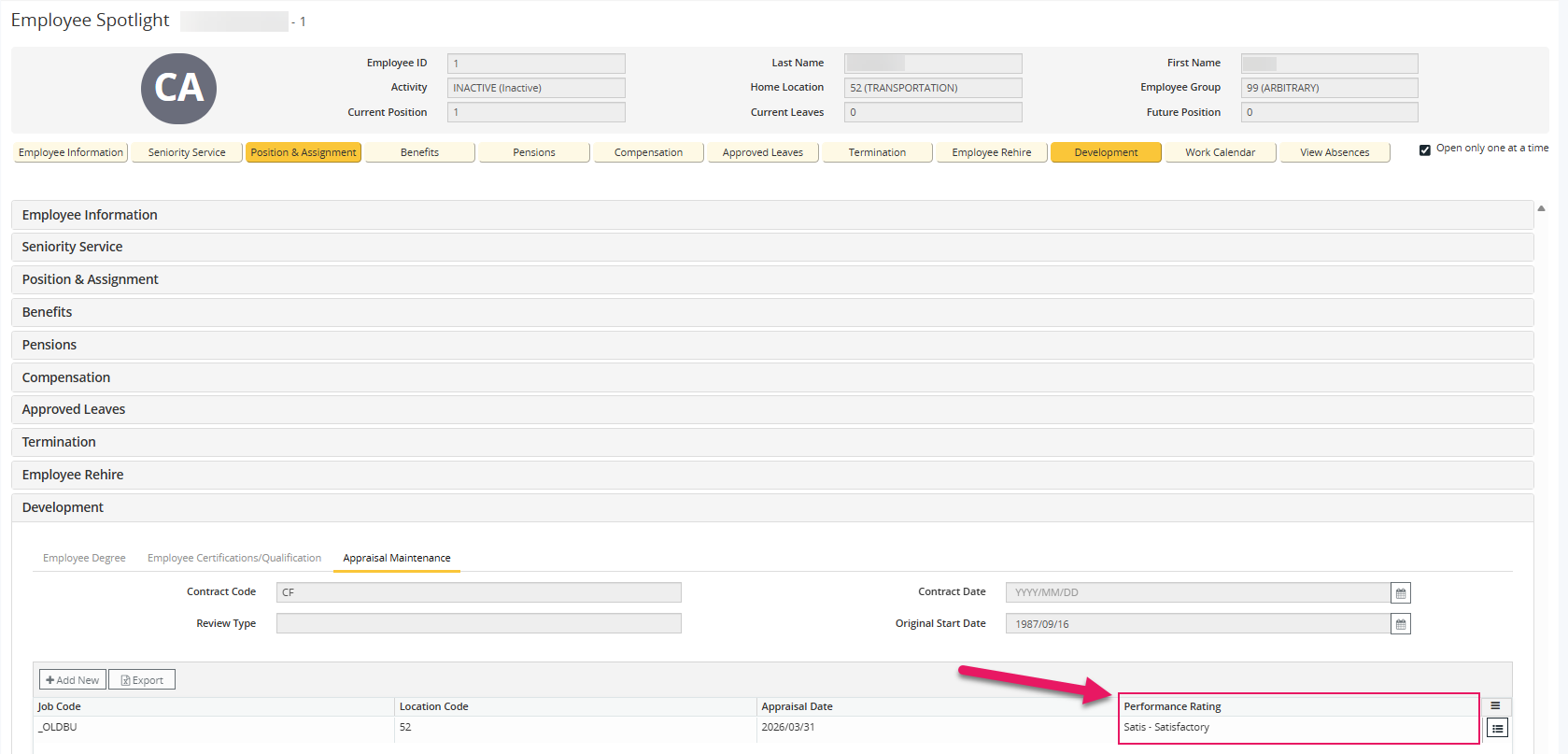
If no rating exists, the page displays Not rated.
HRP-1313 Additional identification search fields in Advanced Search
On the Staff Management page, in Advanced Search, new Middle Name, Previous Surname, Date of Birth, DOB From, and DOB To search fields are available to help users identify the correct employee more quickly.
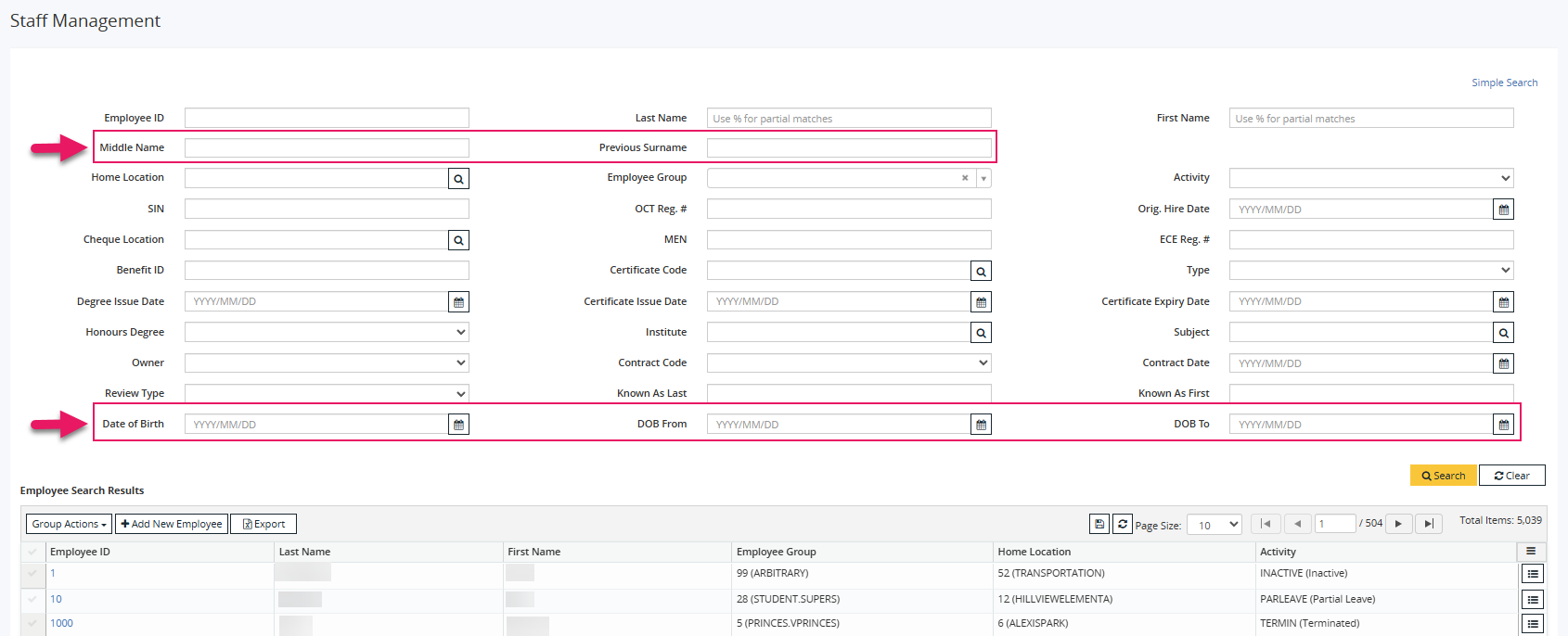
The new text fields support the same case-insensitive and wildcard search behavior as other search fields.
HRP-2268 HRP-2269 Compensation summary by position
On the Employee Spotlight page, on the Compensation tab, the existing summary row is replaced with a position-based summary area.
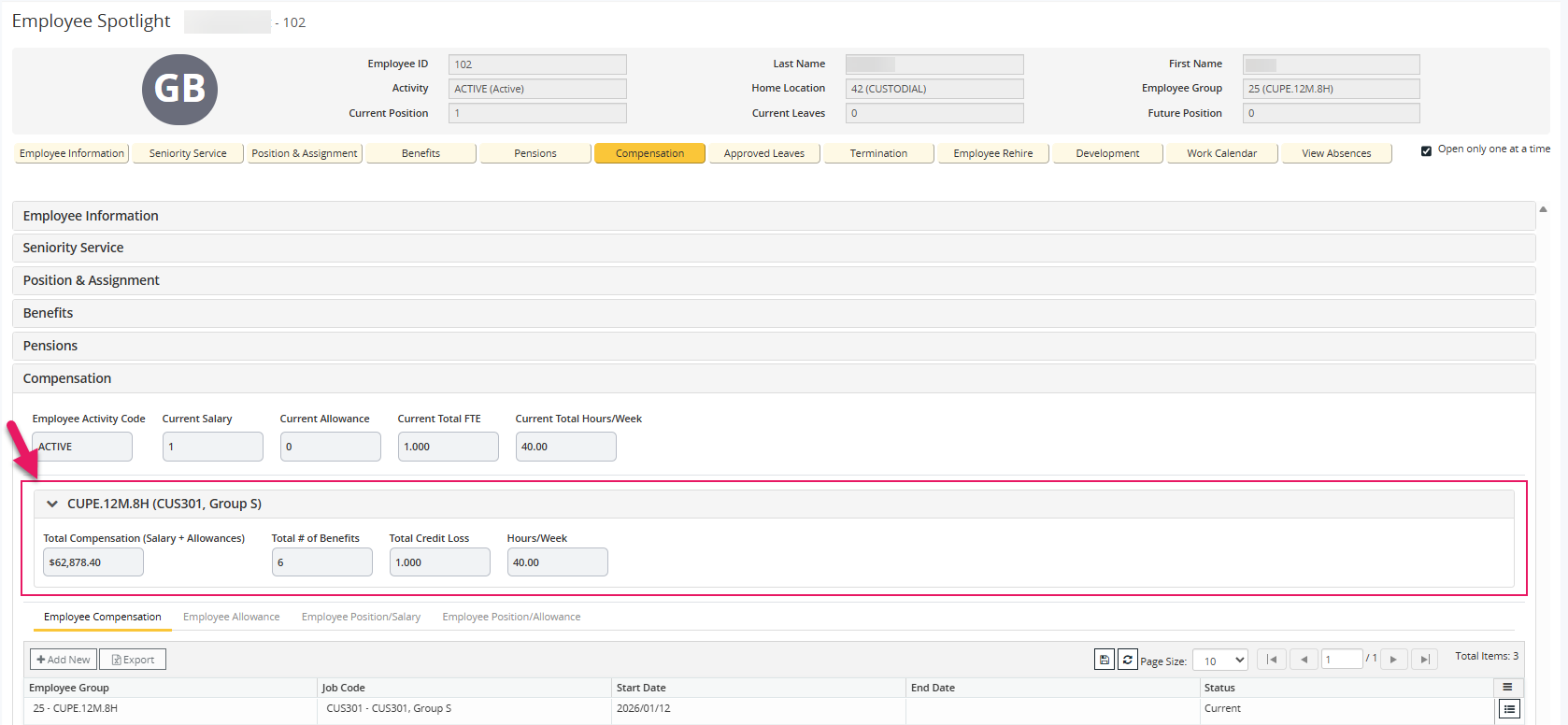
The page now displays one expandable summary panel for each active position so that users can review position-specific Total Compensation (Salary + Allowances), Total # of Benefits, Total Credit Loss, and Hours/Week values more accurately, including for employees with multiple active positions.
HRP-2744 Teacher certification and ECE registration field placement improvements
On the Employee Spotlight page, under Employee Information, on the Employment tab, the teacher certification field and ECE registration field now appear adjacent to each other across provinces so that data entry and tab order are more consistent.
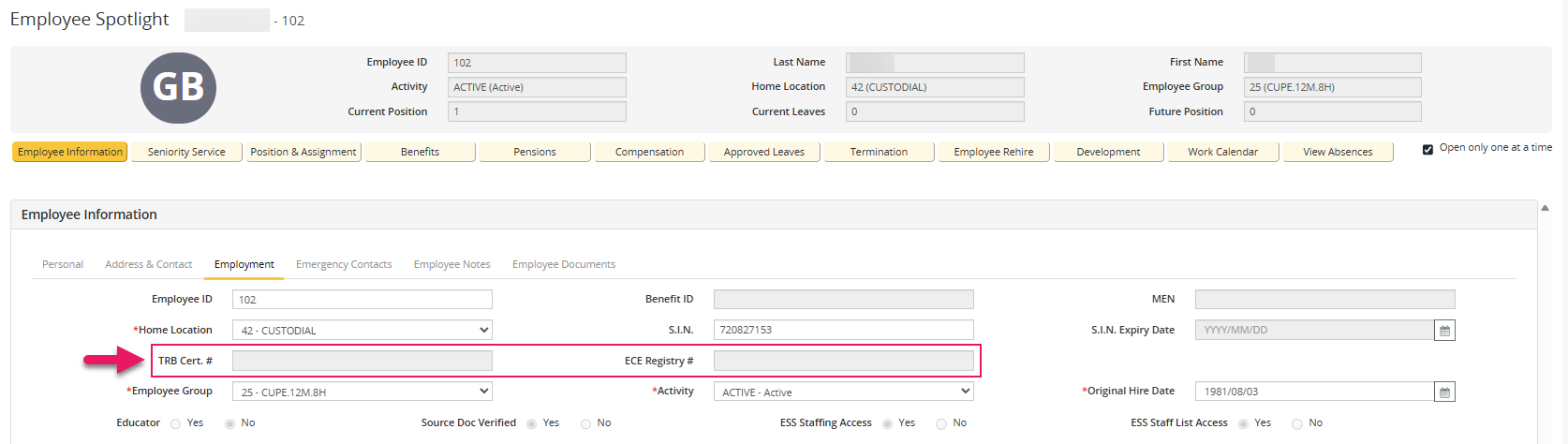
The following province-specific labels continue to display according to provincial naming standards.
HRP-1838 Province Teacher certification field label ECE registration field label ON OCT Reg. # ECE Reg. # BC TRB Cert. # ECE Registry # AB Teaching Cert. # ECE Cert. # SK SPTRB Cert. # ECE Cert. # MB Teaching Cert. # (TCN) ECE Cert. # S.I.N. expiry date label update
On the Employee Spotlight page, under Employee Information, on the Employment tab, this release renames the SIN Expiry Date label to S.I.N. Expiry Date for consistency with product terminology.
HRP-1370 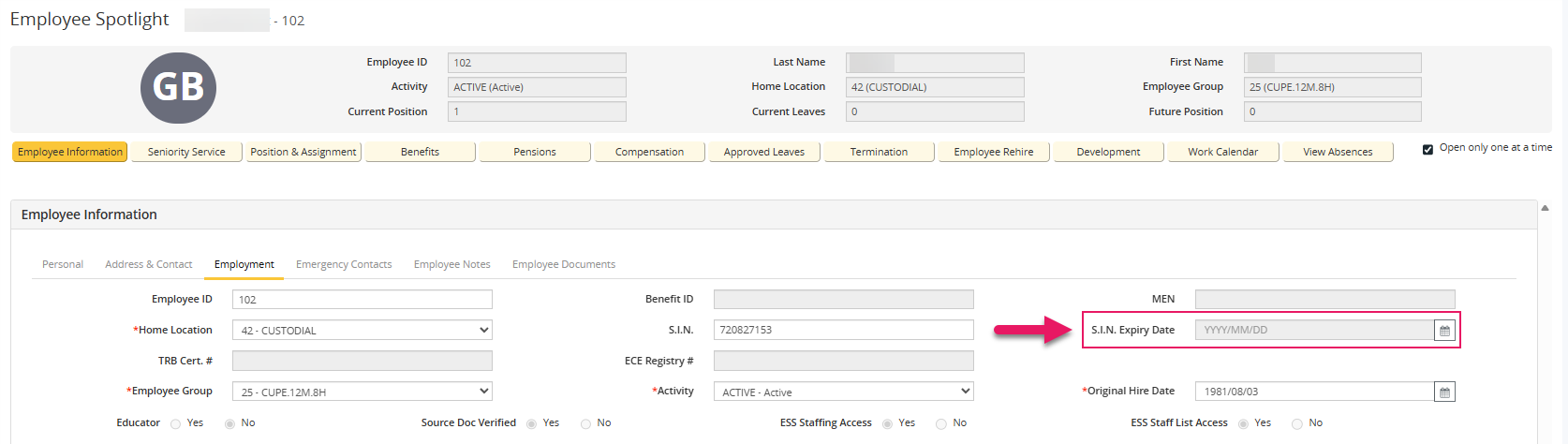
Add new employee wizard
Improvements to the Add New Employee Wizard include:
S.I.N. Expiry Date field in the wizard
A new S.I.N. Expiry Date field is now available in the wizard.
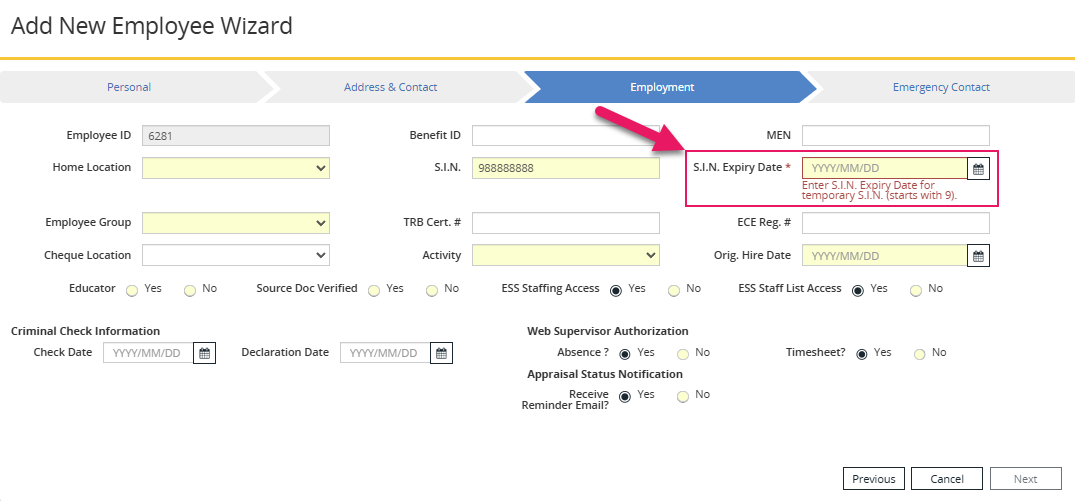
When the S.I.N. begins with 9, the S.I.N. Expiry Date field is required before the wizard can be completed.
HRP-1837 Identification field order improvements
The wizard now uses a more logical identification field order that improves data entry flow.
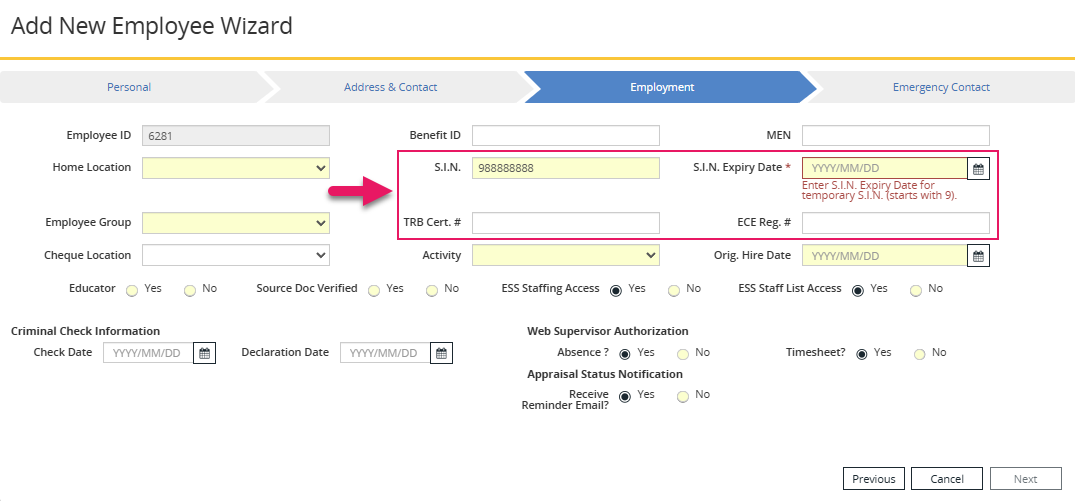
This release updates the S.I.N. Number label to S.I.N., the S.I.N. Expiry Date field appears after S.I.N., and the teacher certification and ECE registration fields are positioned together for clearer data entry flow.
HRP-1945
Payroll basic employee data
Improvements to Payroll Basic Employee Data pages include:
Consistent Code (Abbreviation) formatting in search results
On the Basic Employee Data page, in the Search Results grid, Activity Code, Home Location, and Employee Group now display in the format Code (Abbreviation) for improved consistency with staffing management screens.
HRP-2283 
Consistent Code (Abbreviation) formatting on the Basic Employee Data - View and Basic Employee Data - Modify pages
On the Basic Employee Data - View and Basic Employee Data - Modify pages, Activity Code, Home Location, and Employee Group now display in the format Code (Abbreviation) when both values are available.
HRP-2284 
Pay statements
On the Site Configuration page, on the Board General Settings tab, a new Use enhanced Pay Statement? setting is available.
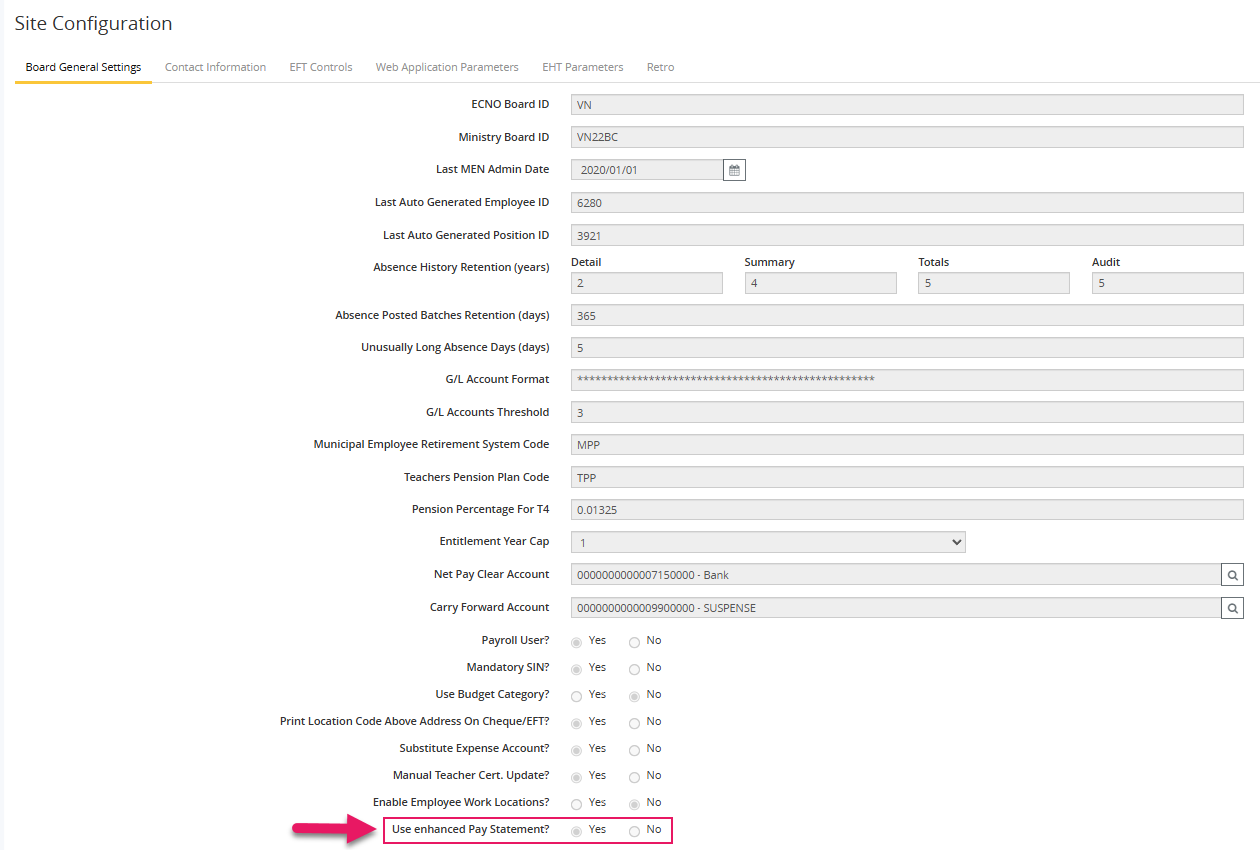
When this setting is set to Yes, pay statements use the enhanced pay statement format. When set to No, pay statements continue to use the existing format.
Features of the enhanced pay statement include:
- The employee's name and employer information appear on each page
- The Earning section is more descriptive
- Information is hidden when not used
- A new Time Bank Summary section
HRP-2192
Message Log
During payroll processing, the Message Log now displays warnings when an accumulator remains open for a closed group or when an accumulator remains open for an employee whose positions in that group are closed. These warnings are informational only and do not stop payroll processing.
The following examples show the new warning messages:
Accumulator VACPAY / ACCUM / A1 is still open for employee 6009, but all positions for this Group are closed. Review to confirm this is intentional. Group: 24
Accumulator VACPAY / ACCUM_PAY ? <N/A> is still open for Group 24, but the Group record has been closed. Review to confirm this is intentional.
EDAS setup and reporting improvements
This release introduces usability and configuration management improvements for Employment Data & Analysis System (EDAS) setup and reporting.
EDAS setup
Improvements to the EDAS Setup page include:
Updated layout with grouped sections
The EDAS Setup page now organizes configuration fields into logical sections.
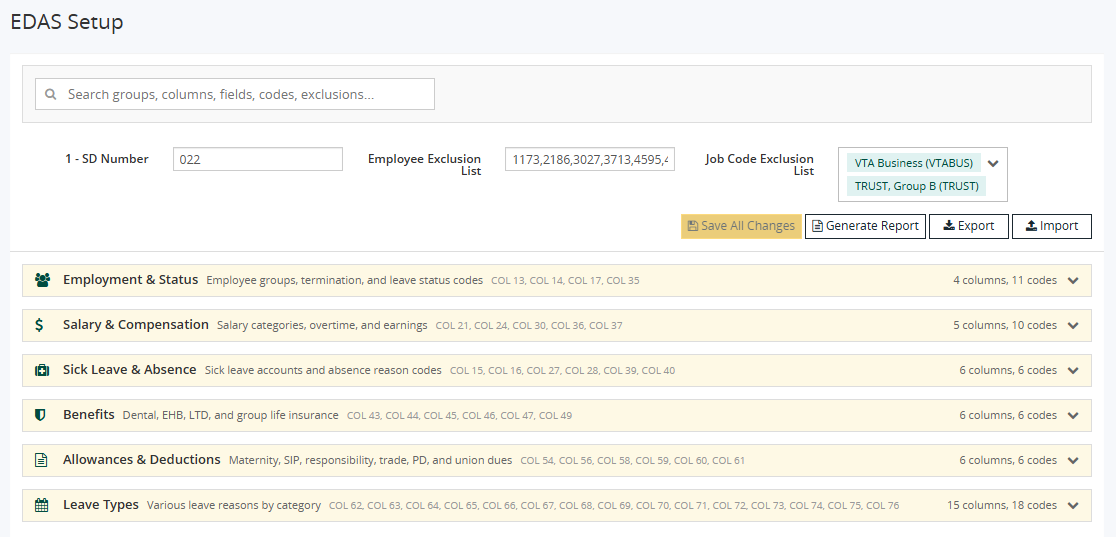
Each section groups related EDAS columns with clear headings to make setup easier to review and maintain.
HRP-2676 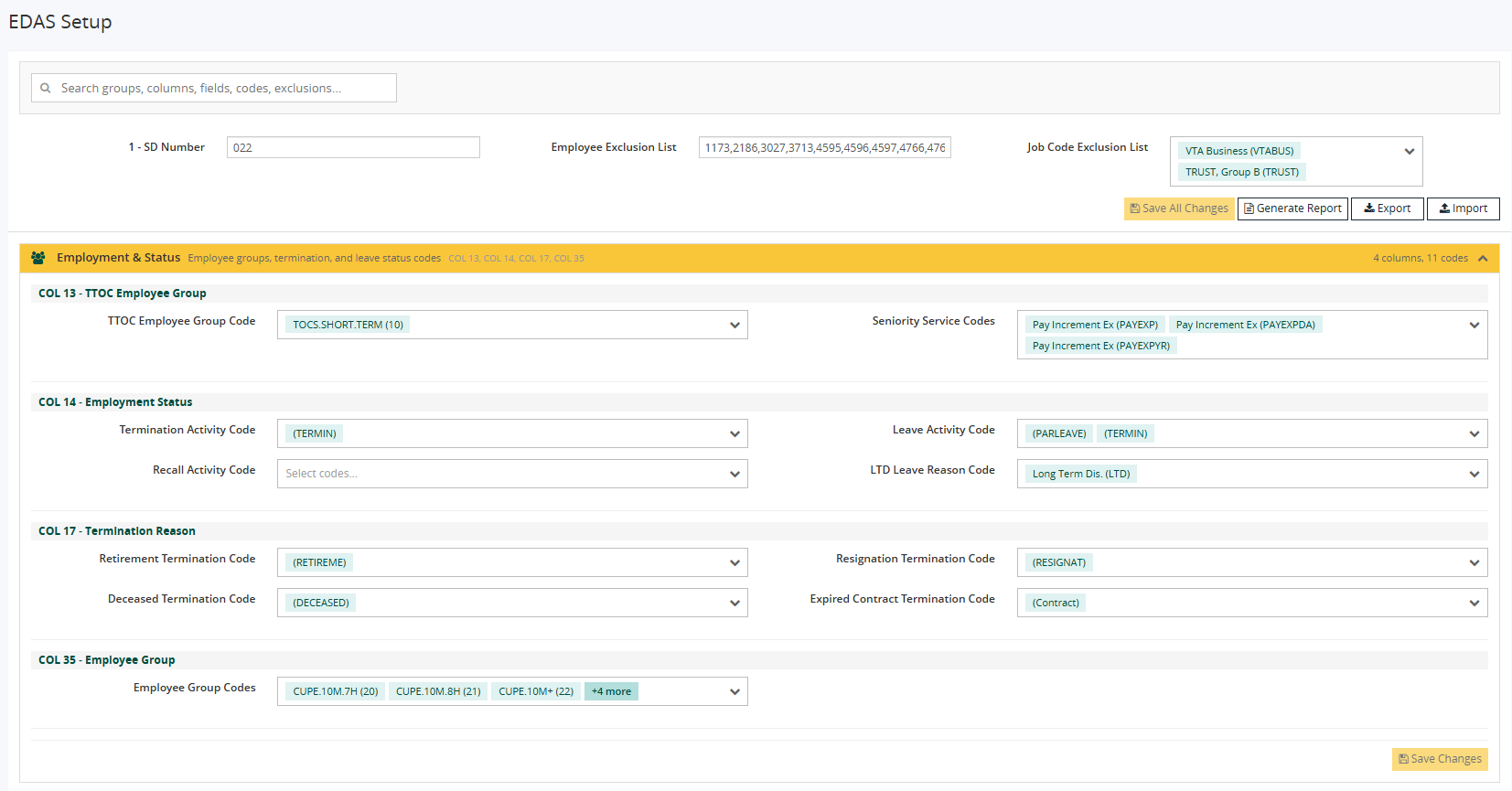
Improved multi-code selection controls
EDAS setup fields that require multiple assigned codes now use improved selection controls that display selected codes more clearly and support searching within assigned codes and removing individual codes.
HRP-2677 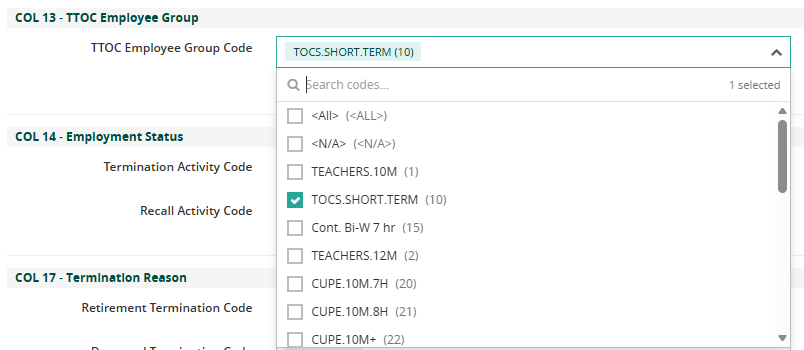
Global search across EDAS setup
A global search field is now available at the top of the EDAS Setup page. The search filters configuration groups, EDAS column references, field labels, assigned codes, and exclusions in real time to help administrators locate setup items.
HRP-2679 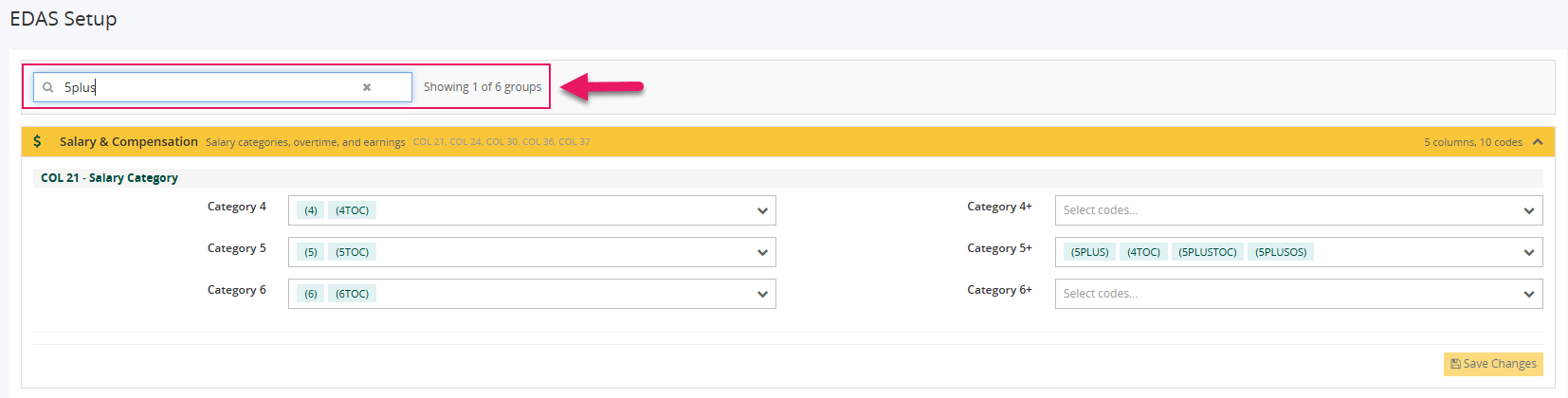
Import and export of EDAS setup configuration
The EDAS Setup page now includes dedicated Export and Import buttons.
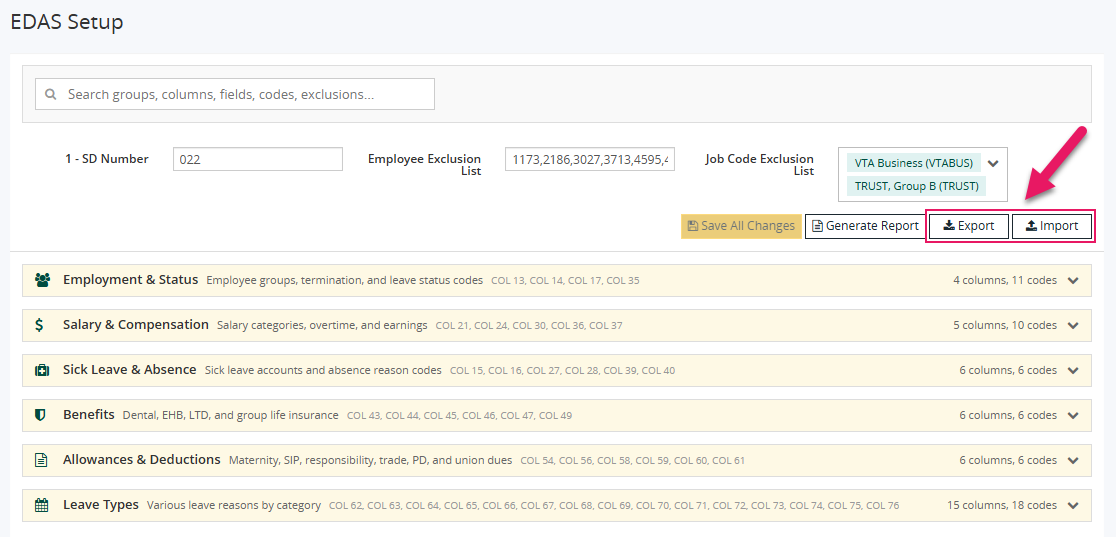
Administrators can use these buttons to export the current EDAS setup configuration to a JSON file and import a previously exported configuration into the current setup.
HRP-2684, HRP-2685 Generate Report navigation
A new Generate Report button is available on the EDAS Setup page to provide direct navigation to the Generate EDAS Data Sheet page.
HRP-2680 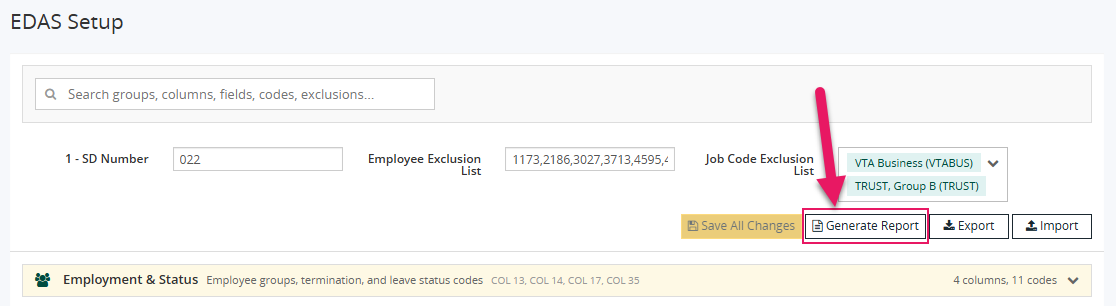
EDAS reporting
Improvements to the Generate EDAS Data Sheet page include:
Simplified reporting form
The Generate EDAS Data Sheet page now focuses on the required reporting inputs so administrators can move more directly into report generation.
HRP-2681 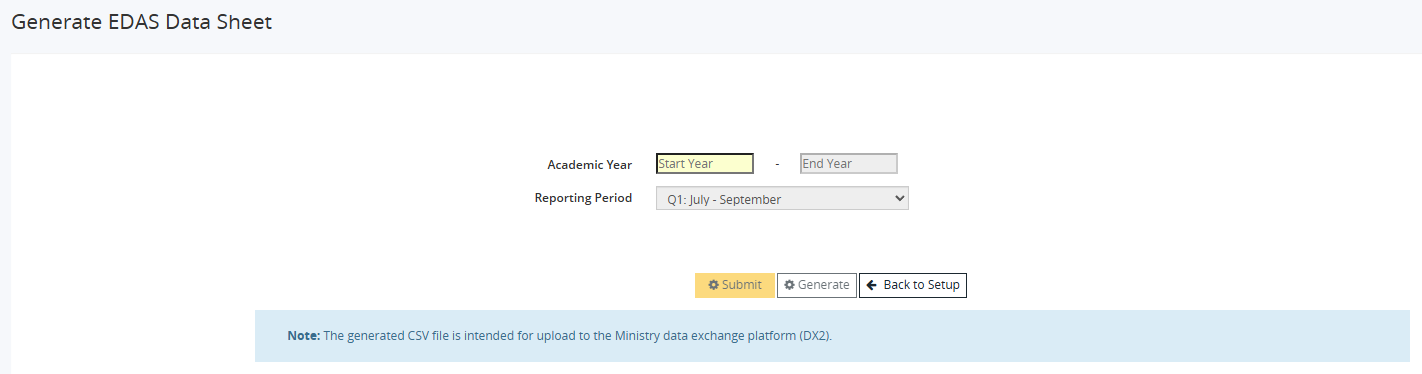
Academic Year and Reporting Period inputs
The reporting form now includes Academic Year and Reporting Period as the primary reporting inputs.
HRP-2681 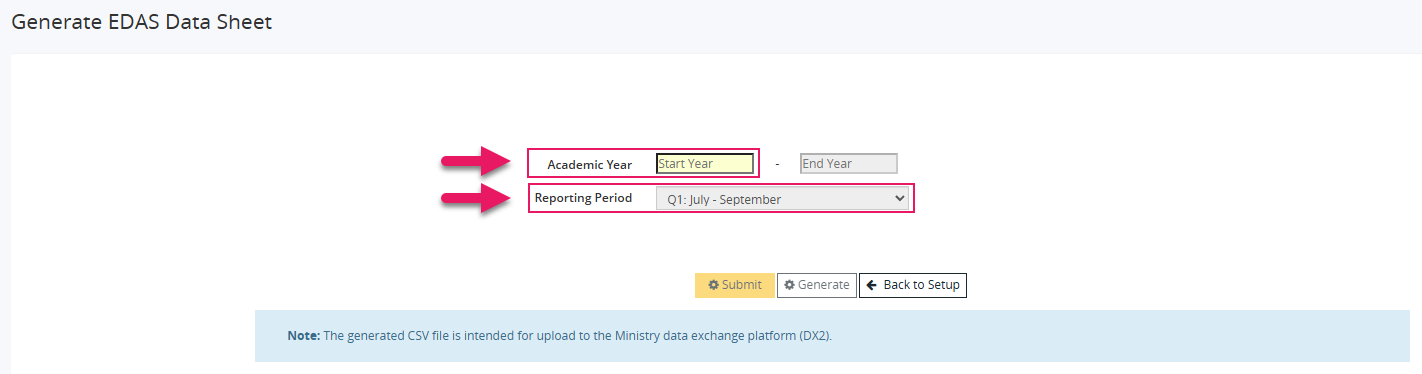
Automatically populated date fields
The Start Date and End Date fields are now automatically populated based on the selected academic year and reporting period and can be adjusted if needed.
HRP-2681 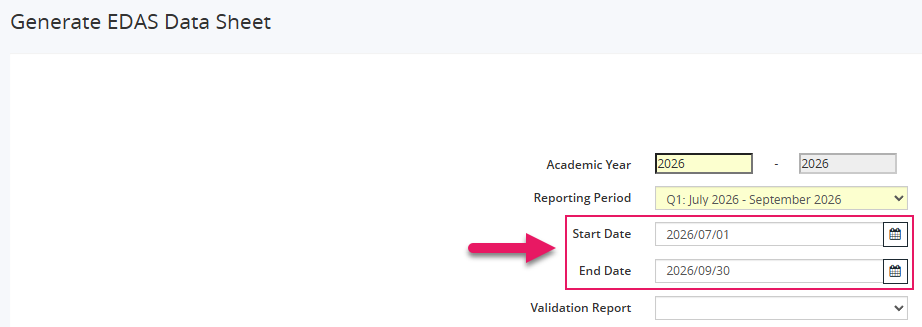
Report generation buttons
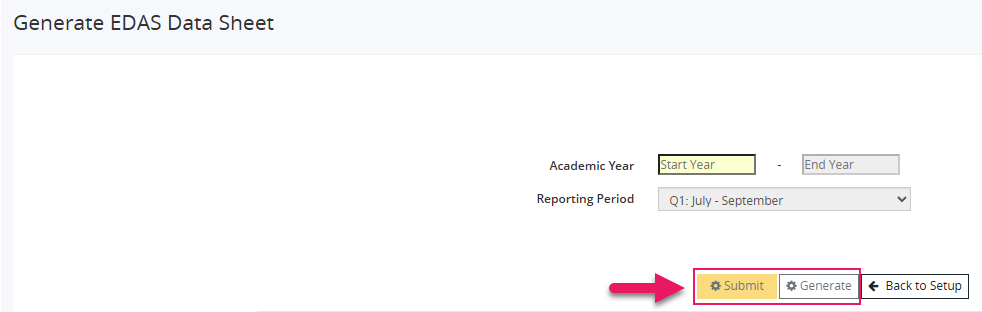
The following buttons are now available:
- Submit: Generate the EDAS report by using a background process.
- Generate: Generate the selected validation report as a PDF.
HRP-2681
Back to Setup navigation
A new Back to Setup button is available on the Generate EDAS Data Sheet page to return directly to the EDAS Setup page.
HRP-2681 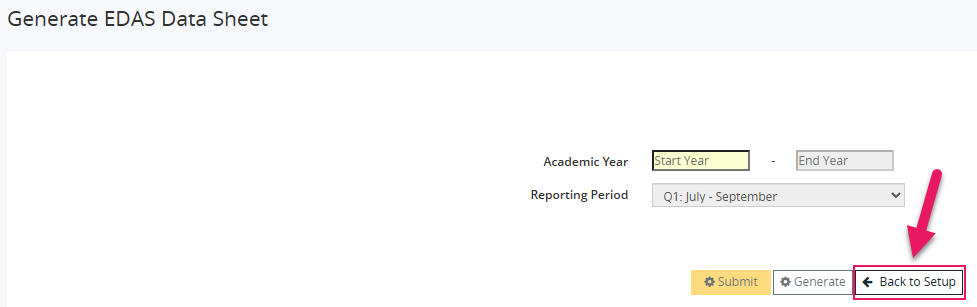
Problems that are resolved in this update
The following problems are resolved in this release.
| Description | |
|---|---|
| On the Modify Absence Groups page, after you select a Calendar Code, you cannot clear the field because the dropdown list does not include a blank option. |
|
| When users try to save their changes on the Federal Tax Data - New Entry page, Sparkrock Ed HRP may display the following error message: Something went wrong. |
|
| On the Employee Absence Transaction Entry - Modify page, the Location Code/Abbreviation field may not display when users add an employee absence record to a batch. |
|
| On the YTD Record Adjustment - New Entry and YTD Record Adjustment - Modify pages, Sparkrock ED HRP prevents users from saving records where the Entity Type is set to TPP_GROSS and the Entity Code is set to CLASS1 or CLASS2. |
|
| When users run a pay run in debug mode for a specific employee, Sparkrock Ed HRP may also process other employees whose IDs partially match the selected employee ID. As a result, the pay run may include employees who were not selected. |
|
| On the Cashed Cheques page, users can change the Cashed Date without first selecting Modify. |
|
| On the Accounts and Individual Calendar page, when you type an employee’s First Name or Last Name, Sparkrock Ed HRP does not display autocomplete suggestions. As a result, users must enter the full name and run a search to find the employee. |
|
| On the Salary and Allowances Update page, each time users run the report in Trial Mode, the Transaction Date increases by one month. |
|
| On the Seniority Service Code Modify page, the Seniority Service Code field is disabled. As a result, users cannot update this field as expected. |
Feedback
To send feedback about this page, select the following link: