
Update 28.1.2628.761 Published July 10, 2026
Periodically, Sparkrock may publish updates between major releases. All updates are cumulative.
Highlights
The following sections highlight the major accomplishments in this update.
Finance and Procurement
Financial Analysis
New features and changes
Update 28.1.2628.761 for Sparkrock Impact 2026 release wave 1 introduces the following new features and changes.
Financial Analysis
Financial analysis controls
This release introduces several controls for financial analysis. The following sections include more information about these controls.
Note
Note:
This feature is not yet available in mySparkrock. mySparkrock will add support for this feature in a future release.
Filter by account set
On the Financial Analysis page, a new Account Set Filter field provides the capability to narrow results to one or more account sets.
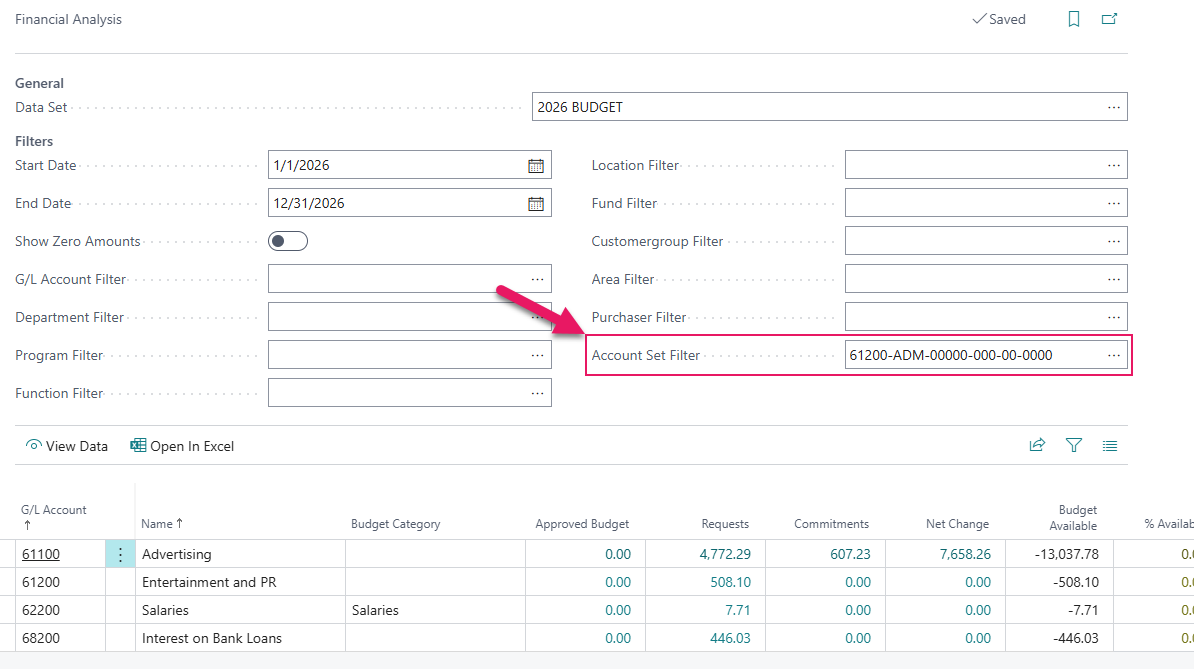
Select the lookup beside the field to choose an account set, or enter multiple account sets separated by a pipe character ( | ). The lookup only displays account sets that you have access to based on the security filter setup.
Choose which columns appear for a data set
By default, the Financial Analysis page displays Budgeted Amount, Commitments, Encumbrances, Net Change, Budget Available, and % Available columns. On the Data Sets page, each data set now has a checkbox for each of these columns.
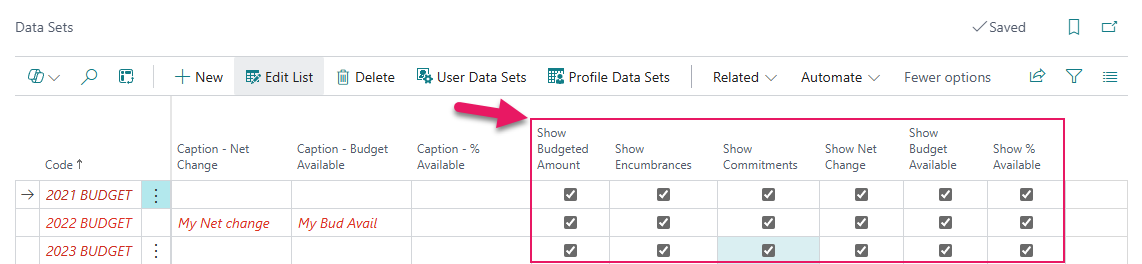
Clear the checkbox for each column that you want to hide on the Financial Analysis page for the selected data set. Existing data sets keep all six columns visible by default, so nothing changes until you choose to hide a column.
Customize the percent available column heading
On the Data Sets page, a new Caption - % Available field provides the capability to enter a custom heading for the % Available column.
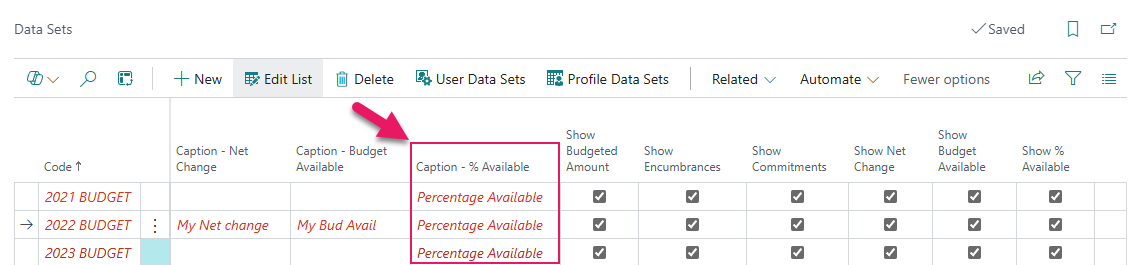
Leave the field blank to keep the default heading.
Learn more
Financial analysis drill-down document type API
This release introduces changes to an API that shares financial analysis drill-down data with mySparkrock.
The API now includes a document type for each commitments, encumbrances, and net change drill-down row, identifying the source document as a purchase requisition, purchase invoice, purchase order, expense claim, or payment request. For a purchase invoice, the document type distinguishes between a posted and an unposted invoice. When the document type cannot be determined, the field is empty.
Note
Note:
This feature is not yet available in mySparkrock. mySparkrock will add support for this feature in a future release.
Problem that is resolved in this update
The following problem is resolved in this update.
Finance and Procurement
| Description | |
|---|---|
| After changing a line type to Allocation Account on a purchase order or purchase invoice, allocation lines cannot be generated unless you first release the document, and then reopen the document. |
Related information
New for Sparkrock Impact
Finance and Procurement updates
Financial analysis updates
Version 28.1 for Sparkrock Impact 2026 release wave 1 release notes
Feedback
To send feedback about this page, select the following link: