
Update 28.1.2622.716 Published May 29, 2026
Periodically, Sparkrock may publish updates between major releases. All updates are cumulative.
Highlights
The following sections highlight the major accomplishments in this release.
New feature
Update 28.1.2622.716 for Sparkrock Impact 2026 release wave 1 introduces the following new feature.
Trakstar ATS integration
Sparkrock Impact now integrates with Trakstar, an applicant tracking system (ATS) that organizations use to manage job postings and candidate hiring. The integration connects Trakstar with the HR request workflow in Sparkrock Impact, so that HR administrators can publish job openings to Trakstar and automatically create HR requests with an HR Reason Code of 15-NEW HIRE for hired candidates.
Trakstar setup
A new Trakstar Setup page is available in Sparkrock Impact.
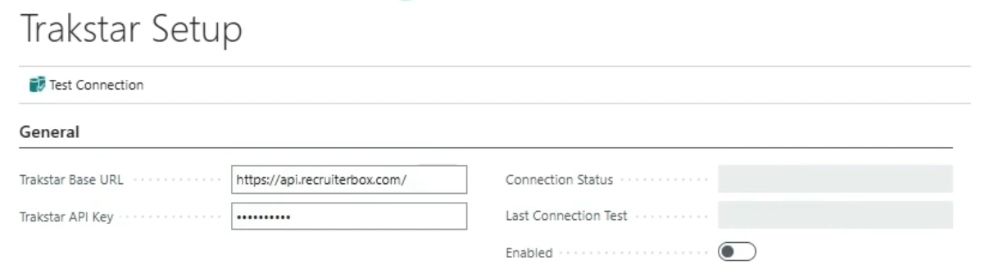
On the Trakstar Setup page, you can configure the Trakstar integration by entering the Trakstar Base URL and Trakstar API Key for your Trakstar account. The API key is encrypted and stored securely.
After you enter your credentials, on the action bar, you can select Test Connection to verify that Sparkrock Impact can connect to Trakstar. The page displays the Connection Status and the date and time of the Last Connection Test.
After you completed a successful connection test, turn on Enabled to turn on the integration. The integration cannot be turned on until a successful connection test has been completed.
If you update the Trakstar Base URL or Trakstar API Key, the Connection Status is automatically reset to Not Connected and the Last Connection Test timestamp is cleared, so that you are prompted to test the connection again before turning on the integration.
HR request integration
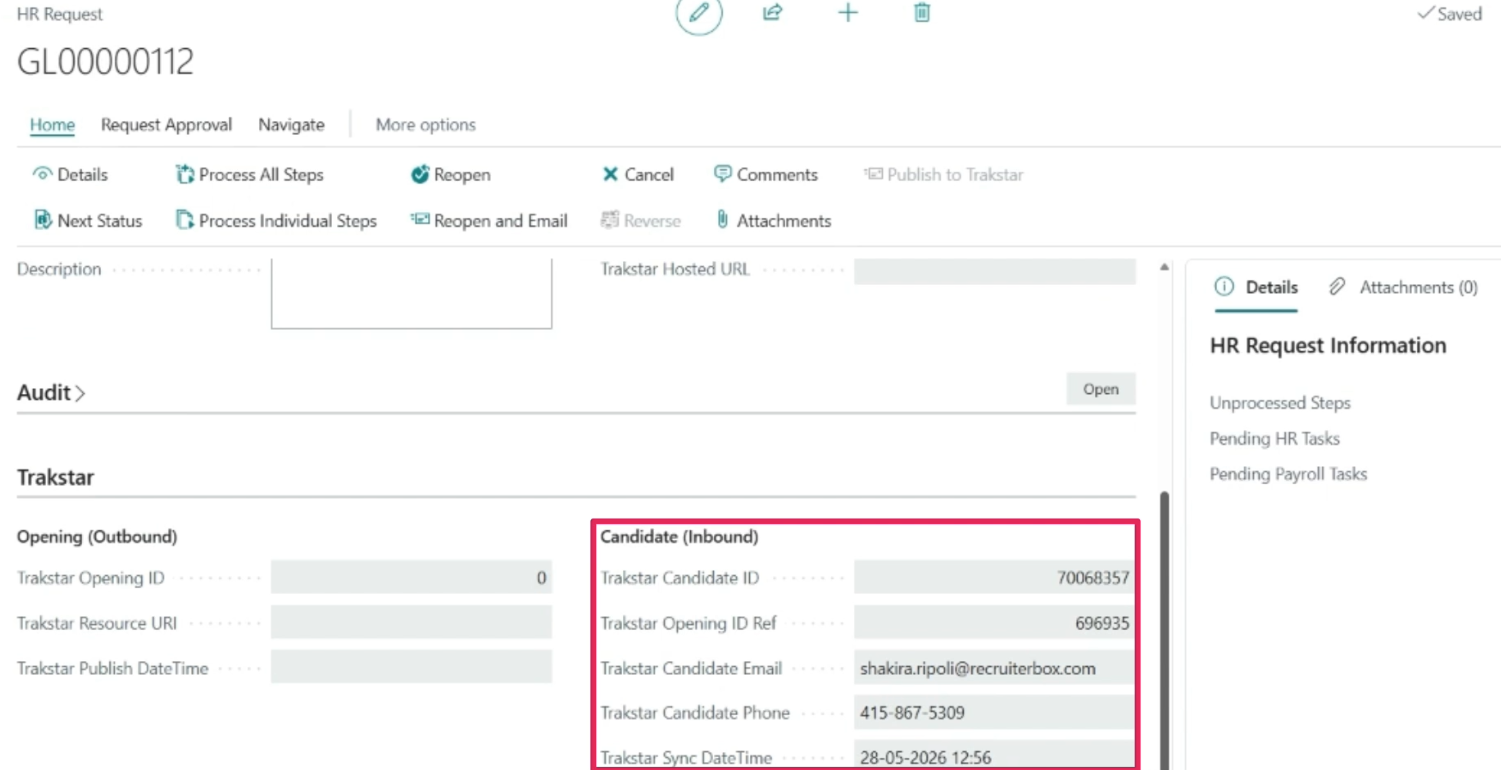
When the Trakstar integration is turned on, a new Trakstar FastTab is available on the HR Request page with an Opening (Outbound) section and a Candidate (Inbound) section.
The following actions are also available on the HR Requests and HR Request pages:
Publish to Trakstar
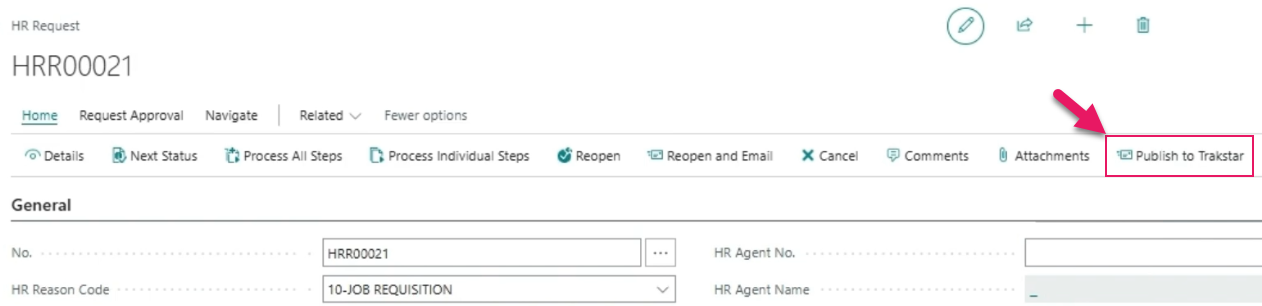
You can publish one or more HR requests to Trakstar as job openings. Only HR requests with an HR Reason Code of 10-JOB REQUISITION are eligible to publish, and each HR request can only be published once to prevent duplicate openings.
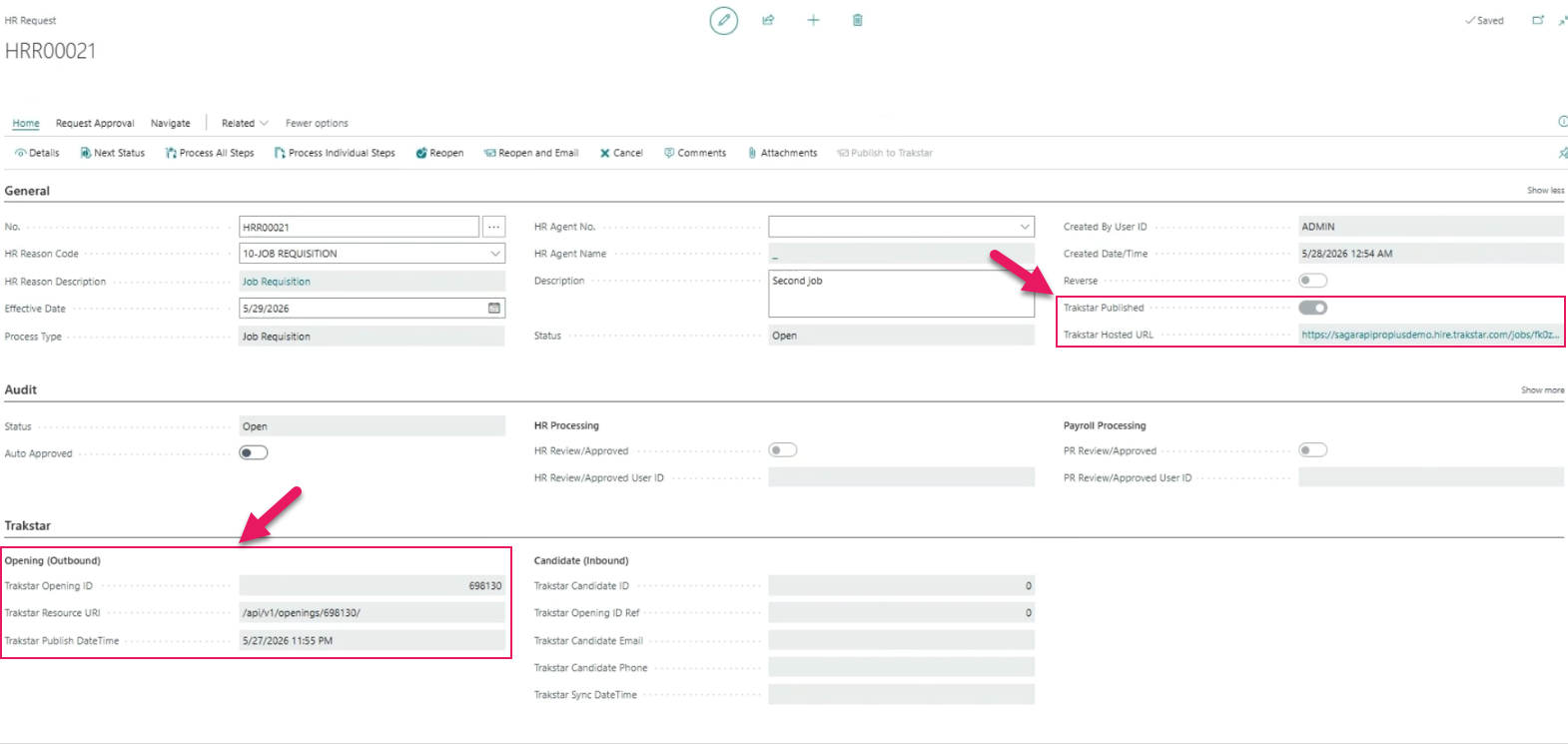
After an HR request is published, the following fields are populated on the HR Request page:
- General FastTab
- Trakstar Published: Specifies whether the HR request has been published to Trakstar.
- Trakstar Hosted URL: Specifies the URL of the job opening as hosted on Trakstar.
- Trakstar FastTab Opening (Outbound) section
- Trakstar Opening ID: Specifies the unique identifier that Trakstar assigns to the opening.
- Trakstar Resource URI: Specifies the API resource URI that is returned by Trakstar when the opening is created.
- Trakstar Publish DateTime: Specifies the date and time that the HR request was published to Trakstar.
- General FastTab
Sync Hires
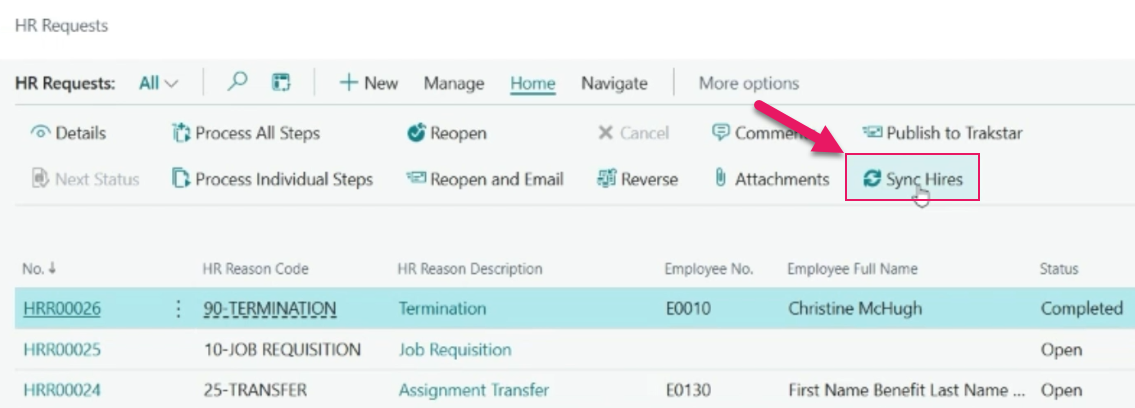
You can synchronize hired candidates from Trakstar to Sparkrock Impact. For each hired candidate that is retrieved from Trakstar, Sparkrock Impact creates an HR request with an HR Reason Code of 15-NEW HIRE and a Status of Open. The candidate's name, Effective Date, and the following fields in the Candidate (Inbound) section of the Trakstar FastTab are populated with the candidate's information from Trakstar:
- Trakstar Candidate ID: Specifies the unique identifier that Trakstar assigns to the candidate.
- Trakstar Opening ID Ref: Specifies the unique identifier of the Trakstar opening that the candidate applied for.
- Trakstar Candidate Email: Specifies the email address of the candidate as specified in Trakstar.
- Trakstar Candidate Phone: Specifies the phone number of the candidate as specified in Trakstar.
- Trakstar Sync DateTime: Specifies the date and time that the candidate was synced from Trakstar.
The Effective Date is populated based on the Trakstar effective date.
Permissions
To configure the Trakstar integration, users require the SRW TRAKSTAR, SETUP permission set. Users with the SRW HR BASIC permission set can view Trakstar setup information.
Learn more
- Trakstar ATS integration
- Set up a Trakstar ATS integration
PD-8220, PD-8221, PD-8222, PD-8223, PD-8224, PD-8225, PD-8226, PD-8227, PD-8228, PD-8229, PD-8230, PD-8231, PD-8232, PD-8233, PD-8235, PD-8236, PD-8246, PD-8441, PD-8452
Related information
New for Sparkrock Impact
HR Management updates
Version 28.1 for Sparkrock Impact 2026 release wave 1 release notes
Feedback
To send feedback about this page, select the following link: